School and public holidays
Orbit can show the school holidays and public holidays of your place as quiet notes in the planner and on Today, so you do not have to type them in. They help you see at a glance that a week is a holiday week.
Choose where you live
Section titled “Choose where you live”- Open your space and choose Settings.
- In the card Holidays, type the name of your municipality or its postcode in Place of residence and pick it from the list.
- The note under the field says what Orbit knows: the holidays of your municipality, or the holidays of your canton (your school may differ), or only public holidays.
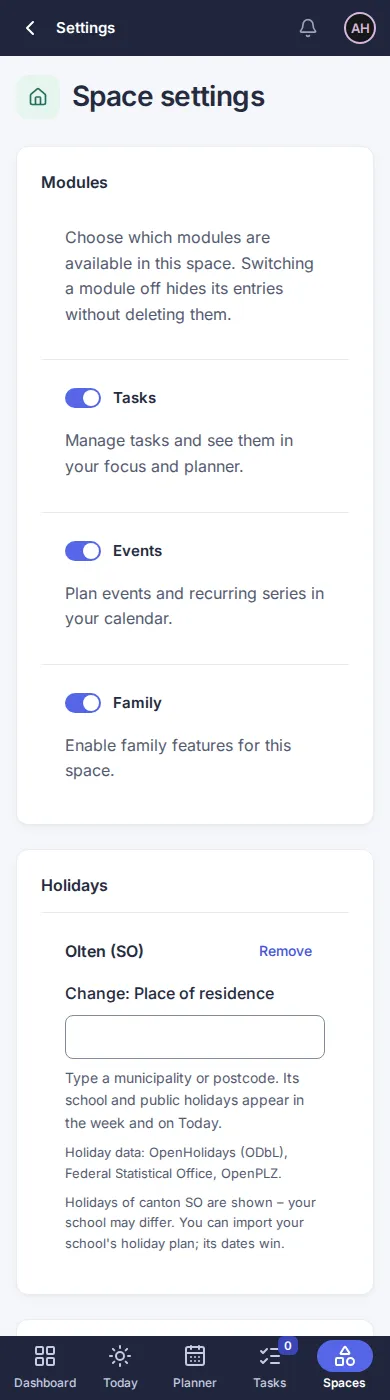
To change the place, type another one. Remove takes it away again. Only owners of the space can change it; everybody in the space then sees the holidays.
Work place and school location
Section titled “Work place and school location”- Work place: if you work in another municipality, choose it under Settings › Planning › Holidays at work. Its public holidays then show for you only. Nobody else sees your work place.
- School location: open a child’s profile and choose the School location. The child’s school and public holidays then show with the child’s name, for example “Autumn holidays – for Johann”.
Whoever has no place of their own gets the holidays of the space.
In the planner and on Today
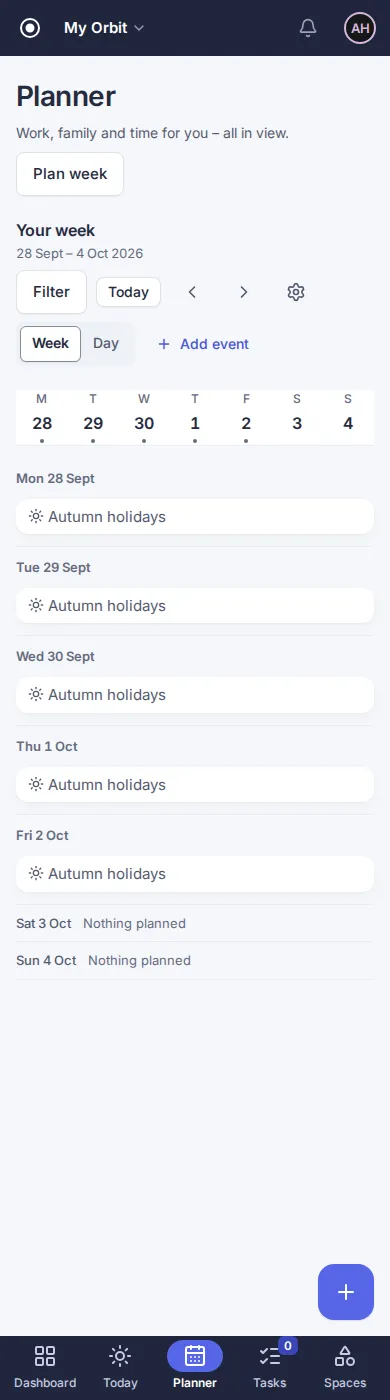
Section titled “In the planner and on Today”Holidays appear as a short note with a sun on their day, without a time. School holidays appear on each school day and not on weekends. The space filter works as for other entries.
If your school has other dates
Section titled “If your school has other dates”The data come from open sources and may differ from your school. Import your school’s holiday plan under Import a plan as an information entry: on the days it covers, Orbit shows your school’s dates instead of the bundled school holidays. Public holidays stay.
Limits
Section titled “Limits”- Without a place, no holidays are shown.
- For most municipalities only the dates of the canton are known; Orbit says so under the field.
- Half-day holidays and holidays of upper-secondary schools are not included.
- The dates cover the years 2026 and 2027 and are renewed once a year.
- Source: holiday data from OpenHolidays API (Open Database Licence, ODbL), municipalities from the Federal Statistical Office, postcodes via OpenPLZ.
Version 0.1.0+production